March 17th, 2026
New
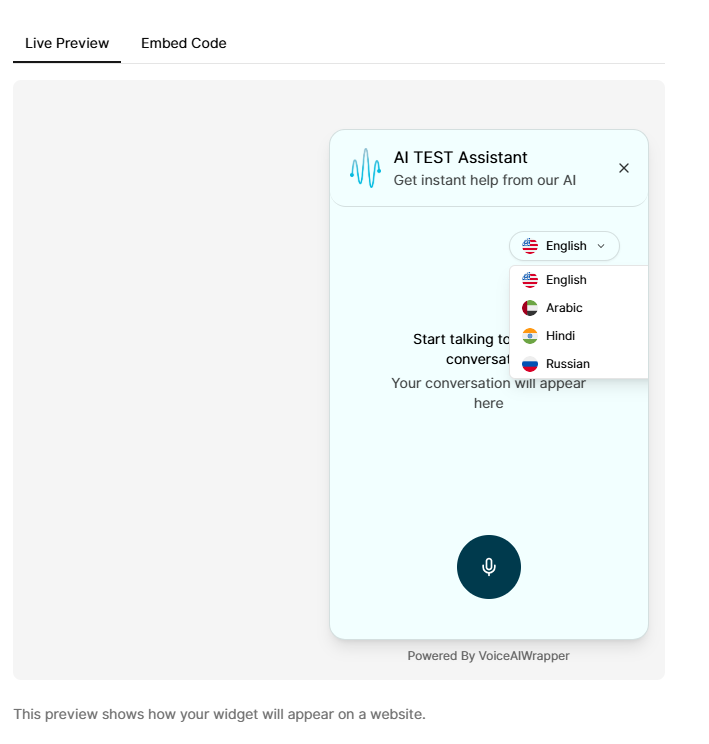
ElevenLabs Web Widget Language Switcher
What’s new
If your widget is powered by ElevenLabs, you can now offer a language switcher so end-users can interact with your assistant in more than one language.
How it works (user-facing)
The widget continues to have a default language (your primary language).
If the ElevenLabs agent supports more languages, the widget can also show additional supported languages.
End-users can switch languages in the widget UI (where enabled) and keep the conversation in the chosen language.
How to enable it
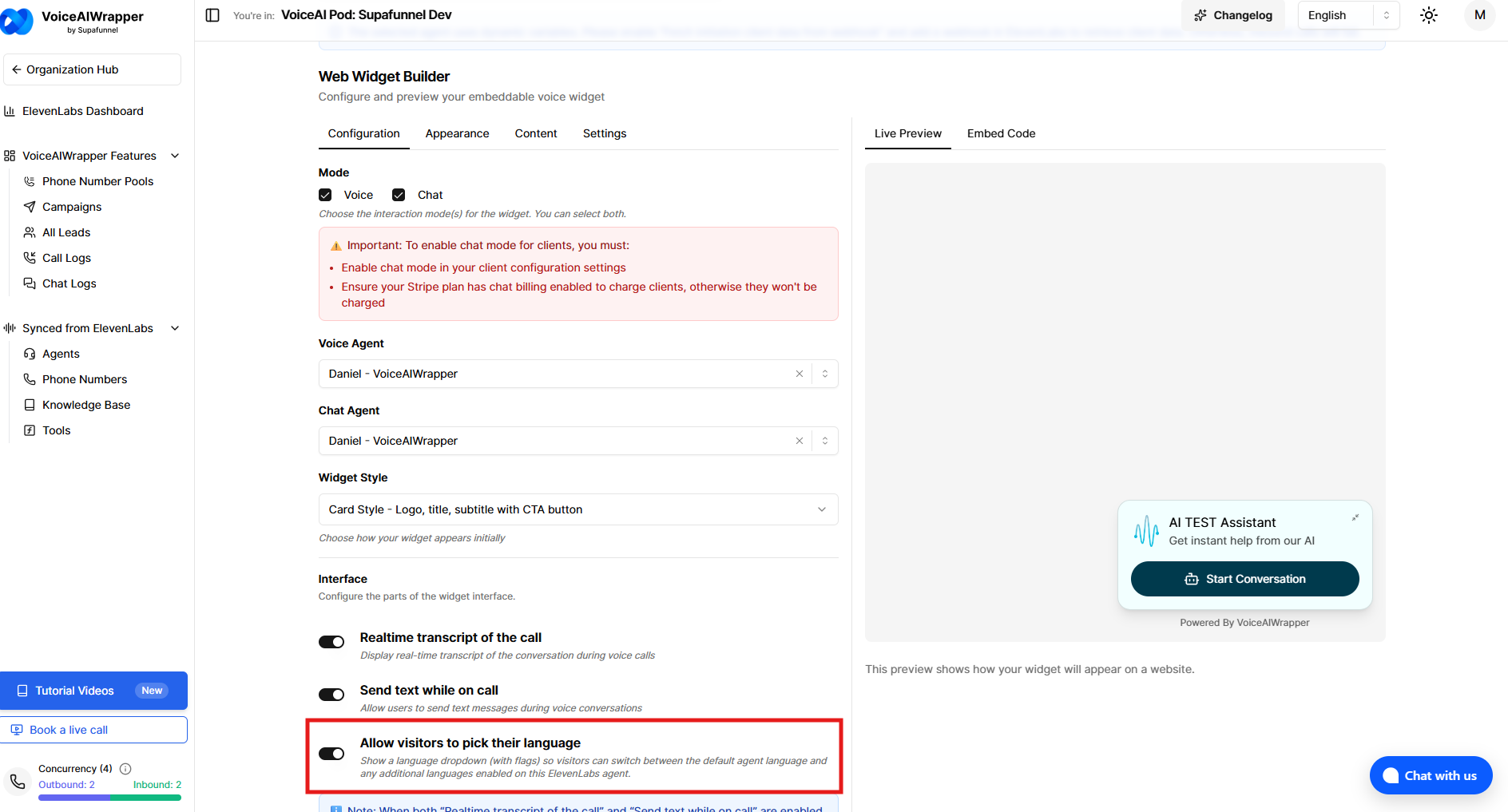
In the widget builder, enable “Allow visitors to pick their language” for your ElevenLabs widget.
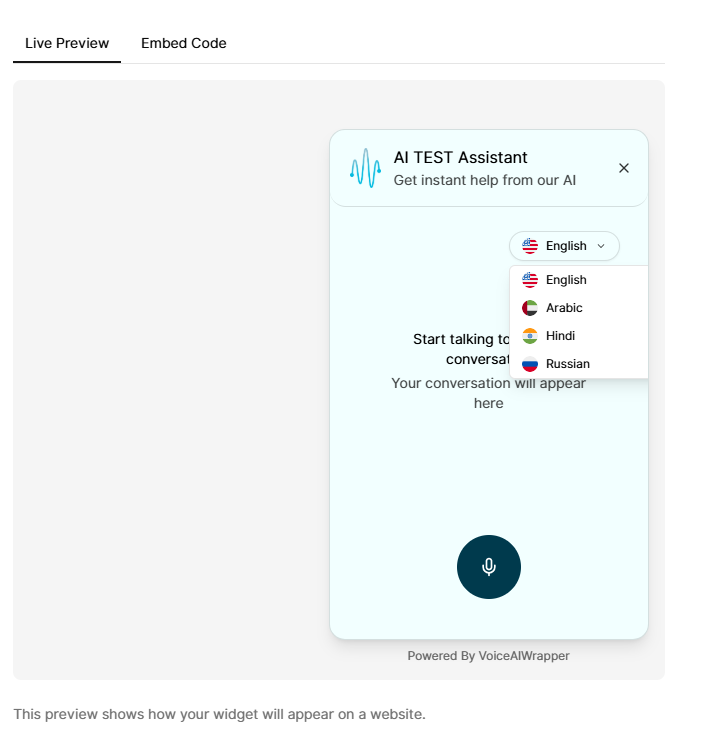
This turns on a language dropdown (with flags) inside the widget UI.
Visitors can switch between the agent’s default language and any additional languages available on that agent.
What you’ll see
Voice widget: language options are available for the voice assistant when configured with ElevenLabs.
Chat widget: language options are available for the chat assistant when configured with ElevenLabs.
Notes
The language dropdown only shows languages that are actually available on your selected ElevenLabs agent.
If no additional languages are available, the widget simply uses the default language (no change in behavior).