Bolna: success metric & Custom pages: dynamic variables in the editor.
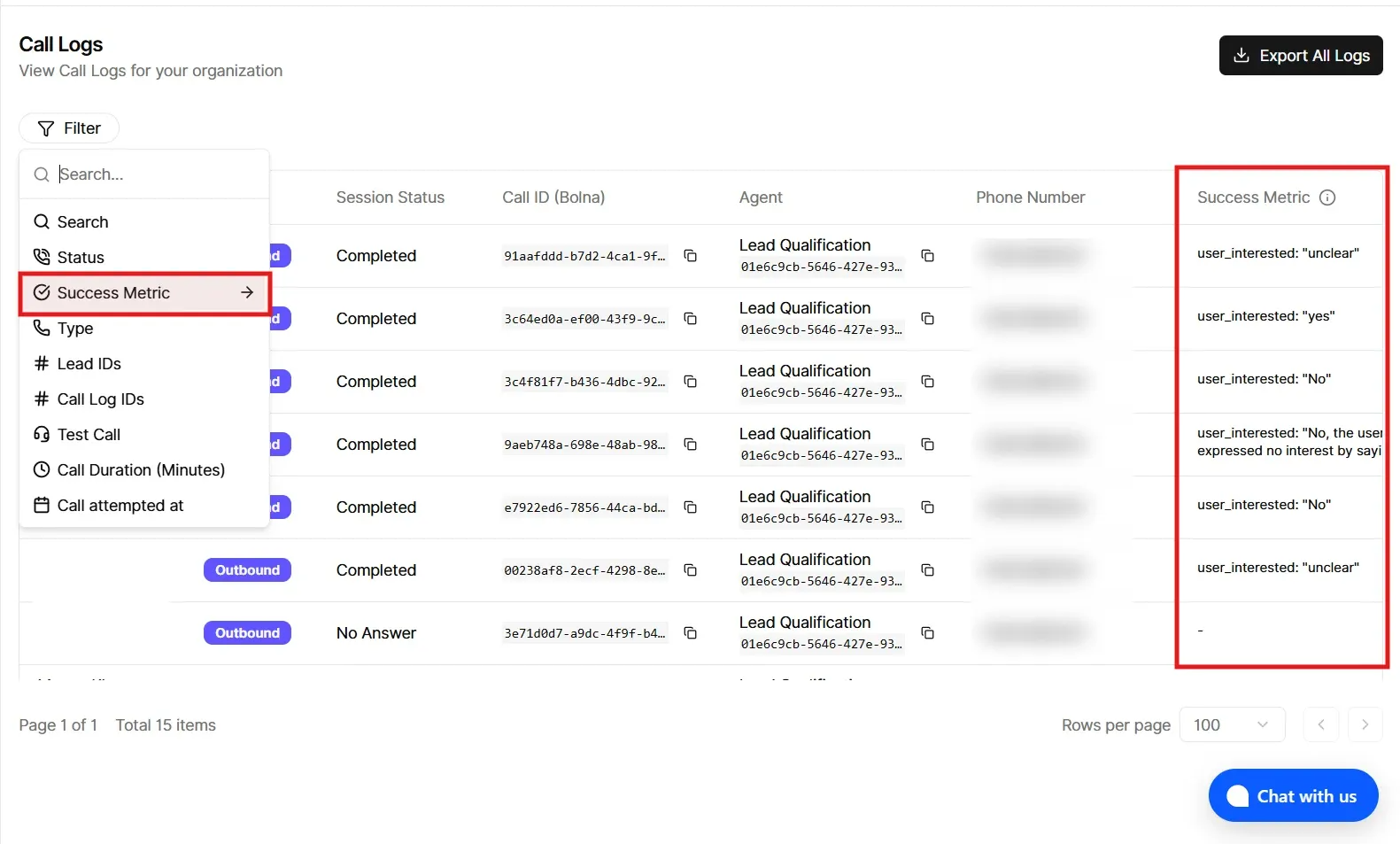

Bolna: success metric in Call Logs
Table column: Call Logs now includes a Success Metric column for Bolna. It shows the value from your campaign’s Bolna custom analytics field (the same key you set for call success on the campaign), pulled from that call’s custom extractions.
Filters: You can filter Call Logs by that success metric (for example, contains, does not contain, is, is not—same style as your other log filters).
Note: The column and filter only apply meaningfully when the campaign has a custom analytics key name configured for the success metric. If nothing is set, you may see empty values.
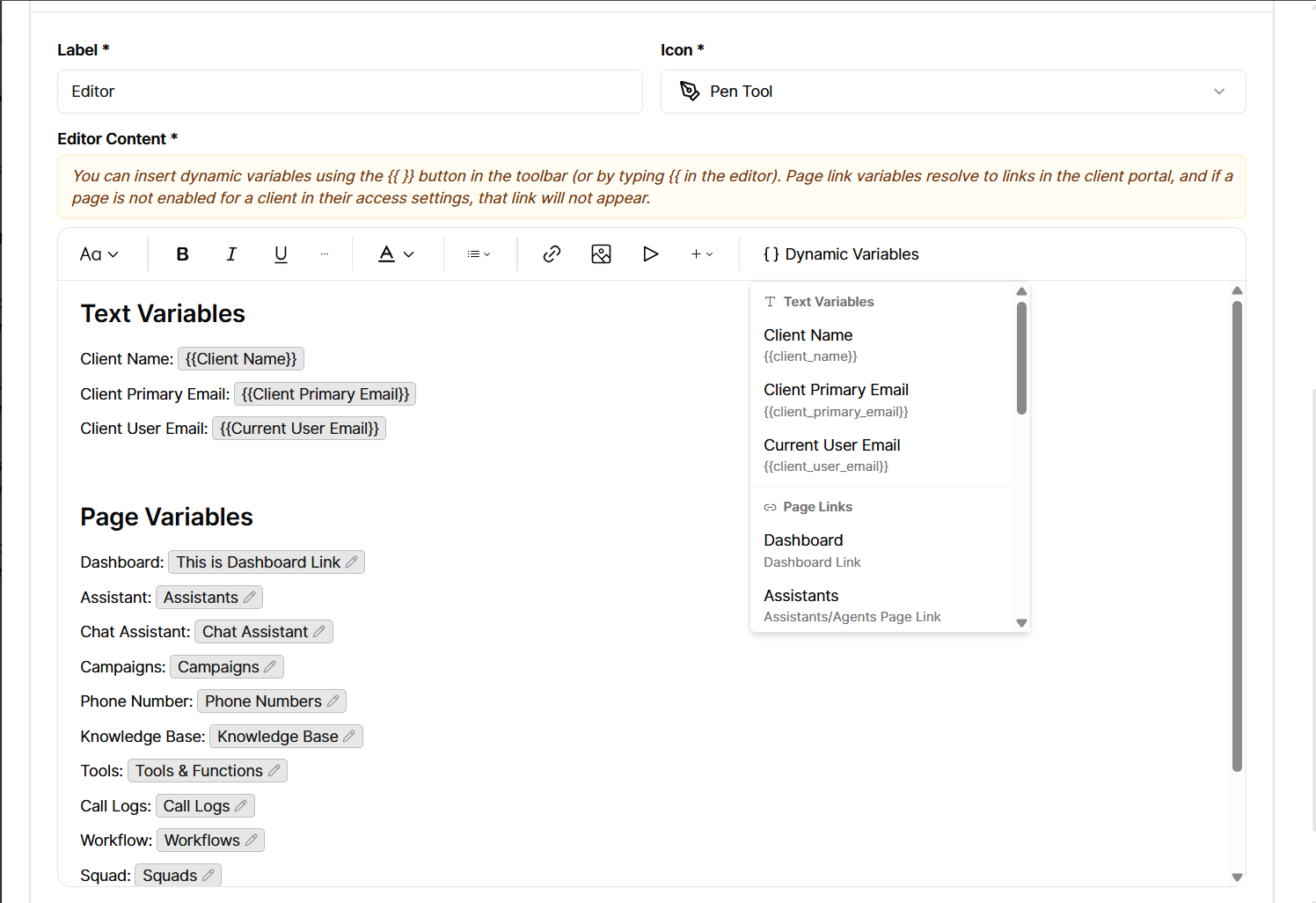
Custom pages: dynamic variables in the editor
For Custom menu items of type Editor page (rich content / custom page), the editor toolbar now includes Dynamic variables.
You can insert placeholders that are filled in when a client opens the page:
Client fields: client name, primary email, and the signed-in user’s email.
Portal links: quick links to areas like Dashboard, Assistants, Chat assistant, Campaigns, Phone numbers, Knowledge base, Tools, Call logs, Workflows, Squads, and Phone number pool.
Other custom pages: each of your other custom pages appears as a link variable (by its menu label), so you can link between custom pages without pasting raw URLs.
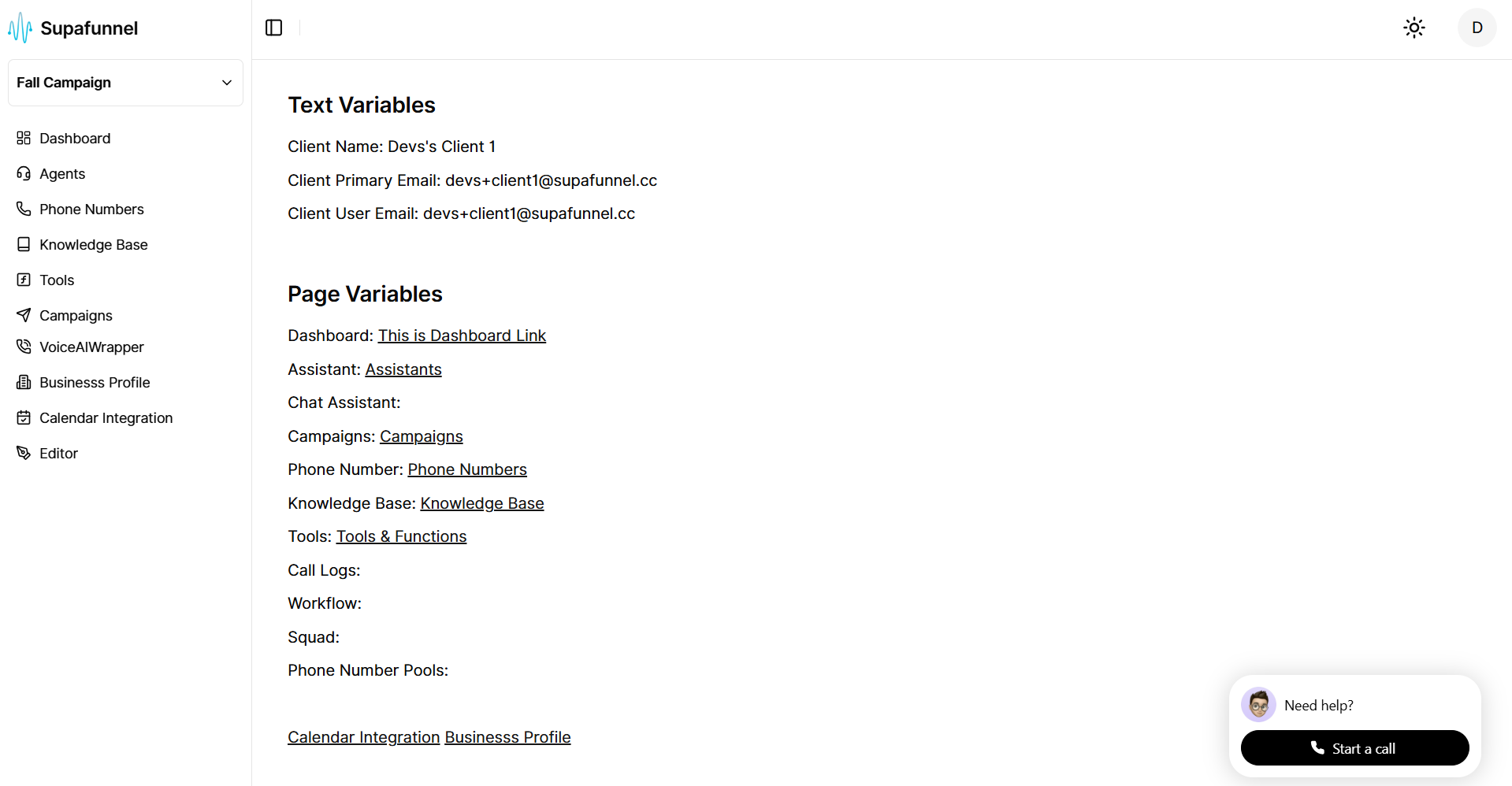
Links respect client access: if a client doesn’t have access to a section or page, that link is not shown for them.