Campaign metadata in webhooks and Bolna success metric support
Campaign metadata in webhooks
All forwarded webhooks from Vapi, Retell, ElevenLabs, Bolna, and other providers now include a _campaign_metadata object with campaign details.
Fields included:
campaign_id— Unique identifier for the campaigncampaign_name— Display name of the campaigntype— Campaign type (e.g., OUTBOUND)status— Current campaign status (e.g., ACTIVE)tenant_id— Tenant/Org identifiervoice_provider_id— Voice provider/Pod identifierassigned_client— Object containing:id— Client identifiername— Client display name
Example:
{
 "_campaign_metadata": {
 "campaign_id": "Vm9pY2VDYW1wYWlnblR5cGXXXXXXXXX==",
 "campaign_name": "Sample Campaign",
 "type": "OUTBOUND",
 "status": "ACTIVE",
 "tenant_id": "VGVuYW50VHlwZTXXXXXX",
 "voice_provider_id": "VGVuYW50Vm9pY2VQcm92aWRlclR5XXXXXXXXX==",
 "assigned_client": {
 "id": "Q2xpZW50VHlwZTpXXXXXXX",
 "name": "Client A"
 }
 }
}
This metadata is available in all webhook events forwarded from Vapi, Retell, ElevenLabs & Bolna using "Outgoing Webhook / Webhook Forwarding" configuration in campaign settings, and can be used to identify and filter events by campaign.
Bolna success metric support
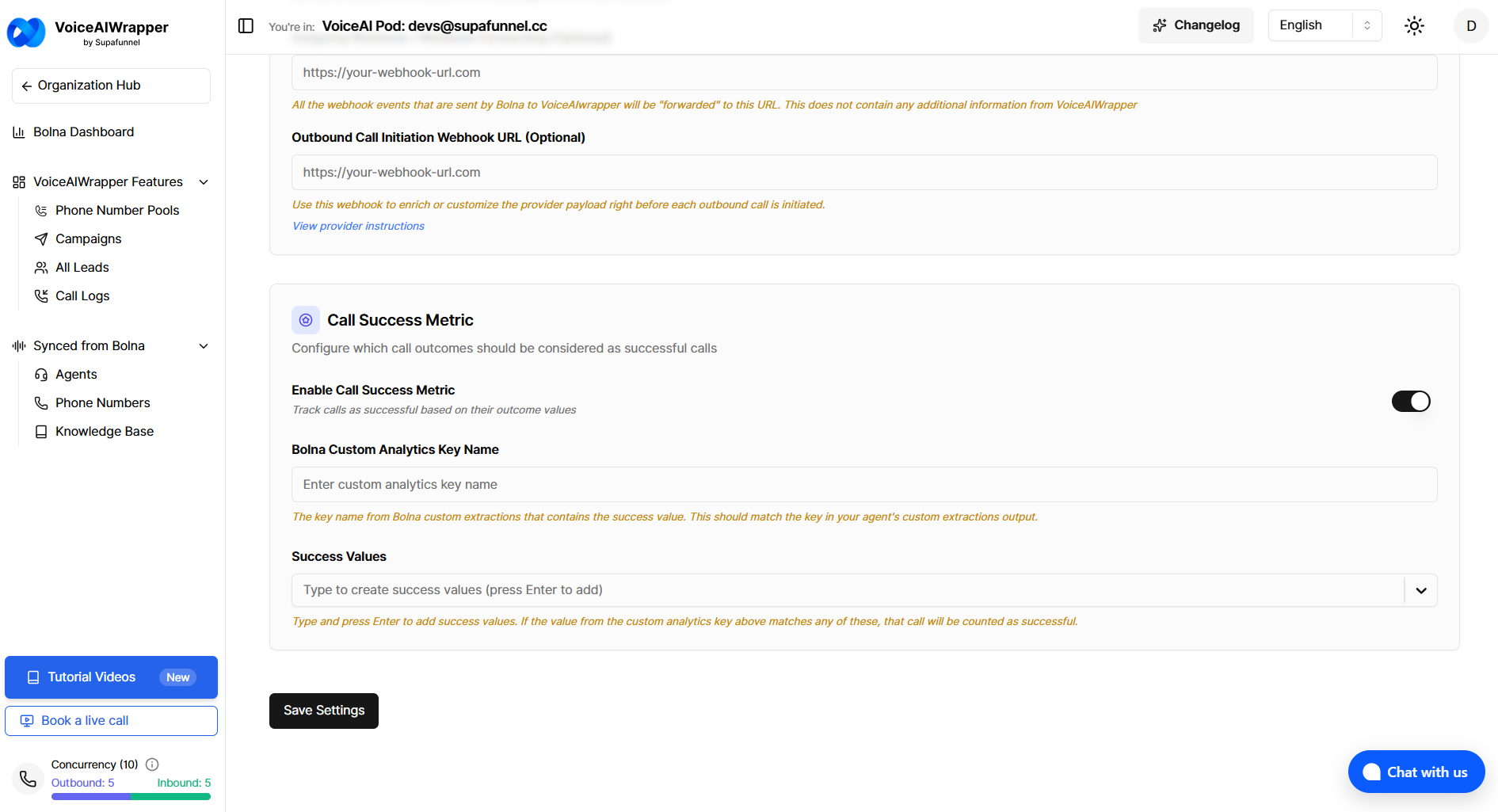
Campaigns using Bolna can now configure a custom analytics key name to determine call success. The system reads the success value from Bolna's Custom Analytics (custom extractions) using the configured key name and matches it against your success values to calculate campaign conversion metrics.
To configure:
Enable "Call Success Metric" in campaign settings
Enter the custom analytics key name that contains the success value in your Bolna agent's custom extractions output
Add the success values to match against (e.g., "success", "completed")
The key name lookup is case-insensitive, and the system will count calls as successful when the extracted value matches any of your configured success values.