Custom Client Dashboards: Show Clients What Their AI Agents Are Doing
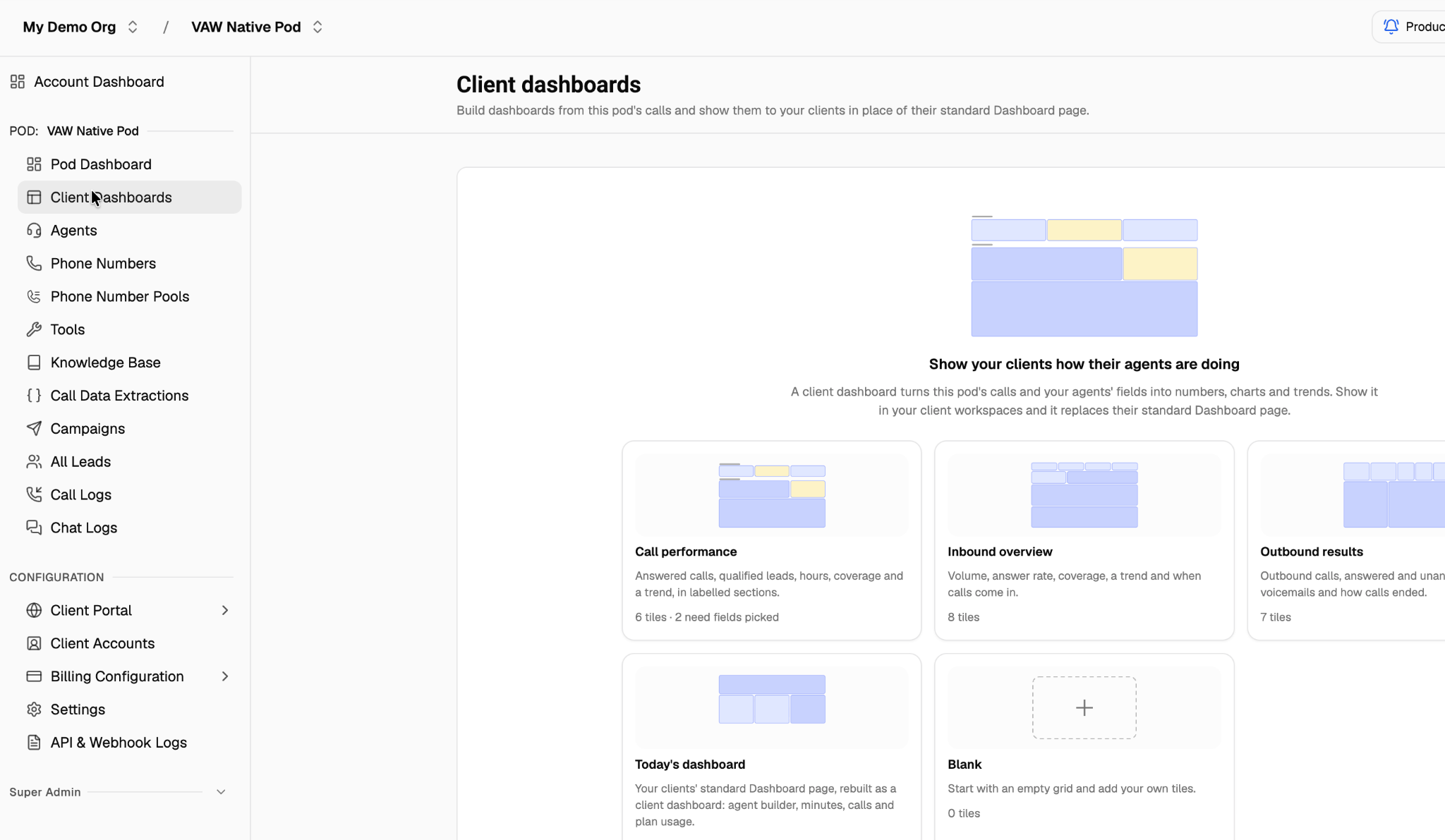
Custom Client Dashboards are now in VoiceAIWrapper. Build a Voice AI dashboard around the calls, outcomes and trends your clients want to see, then show it in their workspace in place of the standard Dashboard page.
Start with a template or a blank layout, choose your metrics, and arrange the tiles to suit the client. Instead of walking through individual call logs, give clients a dashboard they can use to review their agents' activity.
What's new
Ready-made starting points. Choose Call performance, Inbound overview, Outbound results or Today's dashboard, or start with a blank grid.
Metrics from calls and agent fields. Show call activity alongside field-based outcomes, such as qualified leads or booked appointments, using the fields you configure.
A layout you can tailor. Add tiles and arrange numbers, charts and trends into a view that fits the client.
Preview before sharing. Preview the dashboard with a client workspace, check the client view, then choose the workspaces where it should appear.
A client-facing dashboard. Clients see the assigned dashboard in their workspace, on desktop or mobile.
Get started
Open your pod and select Client Dashboards.
Choose a template or Blank, name the dashboard, check the timezone and select Create client dashboard.
Configure the fields required by your chosen tiles. Use Add tile to add metrics, arrange the layout and select Save.
Use Preview with to select a client workspace and check Client view.
Select Show in client workspaces, choose the relevant workspaces and confirm.

Clients see the last saved version of the dashboard. Tiles that still need fields selected stay hidden from clients until configured.
Field-based metrics depend on the fields recorded on your calls. Check each tile's measurement coverage when reviewing the results; calls without a value for the selected fields are left out of those field-based calculations.
Custom Client Dashboards work with VAW Native, ElevenLabs, Retell and Vapi.
Watch the feature overview
See how to start from a template, configure and arrange dashboard tiles, preview the client view and show the dashboard in selected client workspaces.
Ready to set up your client view? Open Client Dashboards in your pod.